A long-standing customer calls to ask why you're still chasing an invoice they paid ten days ago. They send the payment confirmation and there it is: the money went to an account that isn't yours. They'd received an email from your usual address, with your signature and your way of writing, saying you'd changed banks. They had no reason to doubt it, because the email really did come from you. What's happened is that someone got into your company email, has been reading your conversations for a while and has used them to get paid in your name. This is business email compromise seen from the other side: your company isn't the one who paid, it's the supplier being impersonated. It's a hard blow, but there's a lot you can do today, and when you move quickly the money is often recovered.
If it's the other way round and your business paid a fake supplier invoice, we cover that in invoice fraud: what to do if your business paid. Here we focus on what to do when the hacked mailbox is yours and the people who paid are your customers.
Quick answer
If your business email was hacked and a customer has already paid: phone your customers with recent or open invoices so nobody else pays, and so anyone who did calls their bank to recall the payment. Change the password, sign out every session and turn on two-step verification. Delete nothing before recording it, because the mailbox is your evidence. Report it (IC3 in the US, Report Fraud in the UK) and, if personal data was exposed, check whether you must tell the regulator within 72 hours.
In this article
- How criminals use your business email to get paid by your customers
- Signs your business email has been hacked
- The first hours: what to do if your business email was hacked
- Securing your email without destroying the evidence
- Report it and notify the right people
- How to tell your customers
- Who carries the loss: your business or the customer who paid?
- How to stop criminals using your business email again
- When to get professional help
How criminals use your business email to get paid by your customers
Business email compromise usually starts with something small: a password typed into a fake Microsoft 365 or Google login page, a password reused on another site that leaked, or spyware on a computer. The FBI explains that BEC often begins with a compromised email account, through social engineering or a computer intrusion, and that criminals may sit quietly reading emails before they act. They wait for the right moment: a big invoice, a new customer or the boss on holiday.
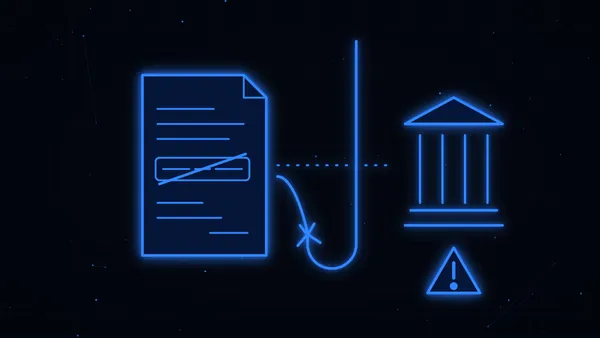
To stay hidden, they set up mailbox rules. A typical one catches your outgoing emails with invoices and copies them to an outside address, so they can take your real invoice, swap the bank details and send it on as if it were yours. Sometimes they also hide customers' replies in a folder nobody checks, so you never see the customer asking about the "new account".
That's why it hurts so much: your customer sees nothing odd. The email comes from your real address, in the same thread as always. It's almost impossible for them to spot, and for you too, until someone chases a payment.
Once you've locked them out, they may carry on from a lookalike domain (one letter changed), or follow up with a phone call that appears to come from your number. If that happens, we explain how it works in vishing and caller ID spoofing.
Signs your business email has been hacked
Many companies only find out from a customer, but there are clues worth knowing:
- A customer asks about a change of bank details nobody sent, or pays an account you don't recognise.
- Forwarding rules or filters nobody created, especially ones that move emails to folders like "RSS", "Archive" or "Deleted Items".
- Emails in Sent that nobody wrote, or emails vanishing from the inbox.
- Sign-in alerts from another country or an unknown device.
- Strange replies from customers or suppliers to messages nobody in your company sent.
Don't blame yourselves if you missed it. These attacks are designed precisely so that nobody notices.
The first hours: what to do if your business email was hacked
Order matters and every hour counts. You don't need to know how they got in before you start:
- Phone your customers, starting with recent or open invoices. Use a number you already had, never a reply to the email. Tell those who haven't paid to ignore any change of bank details. Ask those who paid the fake account to call their bank right now.
- The customer calls their bank. They made the payment, so it's their bank that has to ask the receiving bank to return and freeze the money (a recall). Help them with whatever they need: the fake email, the receiving account, the date and the amount.
- Talk to your own bank too. Tell them what happened, check nobody has accessed your online banking (it can happen if the password was in the mailbox or reused), and ask for a letter confirming your real account details, which will help reassure customers.
- Lock down the mailbox without wiping the traces. More on this below.
- Name one person to coordinate and log every call: who, when and what was said.
Kironic tip
Make a list of every invoice you've emailed in the last few weeks: customer, amount, date and whether it's been paid. You'll know at once who to call first and how much money could be at stake. The same list helps with the police report, the banks and your lawyer.
Can your customers' money be recovered?
Often, yes, especially when people act in the first hours. A completed transfer can't be undone with a button, but if the money is still in the receiving account, that bank can hold it, and a fast report helps it get frozen.
In the US, the customer (and you) should file at ic3.gov as soon as possible. According to the FBI, IC3 may be able to help banks and law enforcement freeze funds. In the UK, since 7 October 2024 the APP fraud reimbursement rules cover individuals, microenterprises and charities paying by Faster Payments or CHAPS, up to £85,000. If your customer fits, tell them to raise it with their bank.
For more on how payments can be clawed back, see how to get money back after being scammed.
Securing your email without destroying the evidence
You need to do two things at once: kick the criminals out and keep the proof of what they did. Ideally whoever runs your email (your IT person or your Microsoft 365 or Google Workspace provider) does this with you:
- Change the password from a trusted device, plus any other account that used the same one.
- Sign out every session and turn on two-step verification (a code on your phone or in an app). The NCSC puts this among the first steps when recovering a hacked account, because it makes it much harder to get back in even with the password.
- Check forwarding rules, filters and auto-forwarding. Take screenshots and note where they send emails before you remove them.
- Check who else has access: new users, delegated permissions on the mailbox, connected apps and the recovery email or phone. Criminals sometimes leave a back door here.
- Look at the sign-in logs (where and when people logged in) and at any admin accounts.
Why it's worth having a forensic expert preserve the mailbox
A digital forensics expert copies the mailbox and the logs in a way nobody can later claim was tampered with. Put simply, they create a kind of digital fingerprint of each file (technically a hash); if anyone changed a single character, the fingerprint would no longer match. That's what lets you use the fake email, the rules and the sign-ins as evidence in court or in a negotiation with a customer.
There's a practical reason to hurry: email providers only keep those logs for a limited time. Lose them and it's much harder to prove where the attackers came from and what they did. The good part is that, preserved in time, that information is often very useful for tracing the money and for protecting your business.
Report it and notify the right people
Report to the police
There are two things to report: the unauthorised access to your email, which is a crime even if no money has moved, and the fraud against each customer who paid, which the customer normally reports because they made the transfer. Coordinate with them so the reports tell the same story.
- US: file with the FBI's IC3, with the receiving bank, account number, amounts and dates.
- UK: report to Report Fraud online or on 0300 123 2040. The NCSC's business payment fraud guidance is a good companion.
Bring the fake email exported in its original format (.eml or .msg, so the headers are kept), the receiving accounts, screenshots of the rules, a short timeline and the banks' reference numbers. Our guide on how to report a scam walks through each step.
The ICO within 72 hours, if personal data was exposed
If criminals were inside your mailbox, they almost certainly saw personal data: customers' names, phone numbers, addresses or account details, staff payslips, contracts. That's a personal data breach. Under UK GDPR, a notifiable breach must be reported to the ICO within 72 hours of becoming aware of it, and people must be told if the risk to them is high. In the US, notification duties depend on each state's breach law.
It sounds heavy, but it doesn't have to frighten you: reporting promptly shows you acted responsibly. And if it turns out you don't need to report, write down what happened and what you did anyway.
How to tell your customers
It's daunting to call a customer and admit your email was hacked, but staying quiet is worse: every day that passes, more customers might pay the fraudster. A quick, clear call from you reassures a customer far more than finding out on their own.
Phone the customers with open invoices first, then send everyone a short written notice. Keep it brief and true: you've had unauthorised access to your email, your bank details have not changed, they should ignore any email saying otherwise and, if in doubt, call you on your usual number. There's no need to go into blame or technical detail. If a lawyer is already looking at the case, let them check the wording, especially if customers have lost money.
And if someone is also using your company's name to deceive others, with fake profiles or domains, we explain how to stop it in identity theft: what to do.
Who carries the loss: your business or the customer who paid?
It's the question that worries everyone most, and there's no automatic answer. In general, a debt is paid when the money reaches the creditor, so on paper your invoice may still be unpaid. But your customer can argue, with some reason, that they paid in good faith because the email came from your genuine address. In both the US and the UK, it usually comes down to the facts and the contract:
- Where the breach happened. If it was your mailbox, people will look at what security you had in place (passwords, two-step verification, monitoring).
- Whether the customer should have been suspicious. An overseas account, a bank that didn't fit or a Confirmation of Payee warning that the name didn't match all count.
- What each side did on finding out. Raising the alarm quickly and cooperating counts in your favour.
Many cases end in an agreement, and sometimes the loss is shared. So don't chase the invoice aggressively or write it off on day one. Check whether you have cyber insurance, since some policies cover this kind of fraud, and tell the insurer early because there are usually deadlines. Before agreeing anything with a customer, have a lawyer look at it: there are often more options than it seems.
Imagine an HVAC company whose email is hacked on a Friday. By Monday, two customers have paid their invoices into a "new" account. If that same morning the company calls every customer with an open invoice, the two who paid call their banks and report it, and a forensic expert preserves the mailbox before anything is changed, there's a good chance some or all of the money is still in the receiving account and can be held. And the relationship with those customers comes out stronger, because they saw the company react fast.
How to stop criminals using your business email again
The good news is that simple habits stop most of these attacks, and they're the same ones the FBI and the NCSC recommend.
To prevent it, never change bank details by email. Tell your customers now, in writing, that you'll never change your account by email, and that if they ever get an email like that, they should call you on your usual number before paying. Once they're used to hearing it, the next attempt goes nowhere.
And inside your business email:
- Turn on two-step verification for every account, including the boss's and shared ones like "accounts@" or "info@", which are often forgotten.
- Use unique passwords for email that aren't used anywhere else, and don't use your work address to sign up for unrelated services.
- Check forwarding rules and sign-ins regularly. Five minutes a month is enough to catch a strange rule in time.
- Ask whoever manages your domain to set up SPF, DKIM and DMARC, technical settings that make it harder for others to send email pretending to be you.
- Put your bank details somewhere customers can check without relying on email, such as the contract or a customer portal.
- Talk to your team. Everyone should know that a page asking for their email password after clicking a link deserves a call to IT before typing anything.
When to get professional help
If customers have paid large amounts, if the banks can't freeze the funds, if you don't know how long the attackers were inside or if a customer is holding you responsible, it's worth getting a professional view as soon as possible. A digital forensics expert can preserve the mailbox and logs and find out how they got in, and a lawyer can push for the receiving accounts to be frozen, help with the regulator and negotiate with customers.
We are lawyers and expert investigators specialising in online scams, cryptocurrency and cybercrime. Every case is always handled by a lawyer or an expert investigator. Send us whatever you have, even if it's messy: the fake email your customers received, the payment confirmations and anything you've seen in the mailbox. We'll review it for free and tell you what to do today and what comes next. In many cases the money is recovered, especially when you act quickly. At Kironic we do everything we can to recover your money.
One last warning: after an incident like this, "recovery firms" sometimes appear promising 100% back for an upfront fee. That's usually the second scam. Here's how to spot them: crypto recovery scams.