It's ten in the morning and someone from accounts walks over to your desk looking worried. They got an email that looked like it came from Microsoft saying their mailbox was full, clicked the link and typed in their username, password and even the code that came to their phone. The page just kept loading, and that's when it hit them that something was off. An employee clicking a phishing link happens at businesses of every size, including ones with a good IT person. Keep a cool head: the fact that they told you straight away is the best thing that could have happened, because in the first hours you can usually shut the door before anyone walks through it.
Here's what to do today if someone at your company entered their login on a fake page, how to tell whether the criminals got in, who you need to tell and how to stop it happening again. If the attackers have already used your mailbox and your customers have paid another account, we cover that in business email compromise: what to do, and if it's your business that paid a fake supplier invoice, in invoice fraud: what to do.
Quick answer
If an employee entered their password on a fake page: change the password from another device (and anywhere it's reused), sign out every session and check two-step verification. Look for forwarding rules, odd sign-ins or sent emails nobody wrote, and record it before deleting anything. If the account touches payments or banking, call the bank. Report it and, if personal data may have been seen, check whether you need to tell the regulator within 72 hours.
In this article
- What's happened when an employee falls for phishing
- First: let the employee tell you without fear
- The first hours: what to do when an employee clicked a phishing link
- Signs the account has actually been used
- Keep the evidence before you clean up
- Report it and tell the right people
- If a payment has already gone out
- How to stop phishing getting through again
- When to get professional help
What's happened when an employee falls for phishing
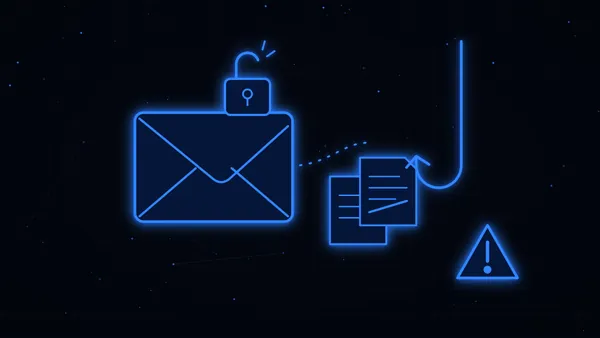
Phishing is a fake message designed to get someone to hand over their login. The name plays on fishing: the email is the bait and the fake page is the hook. At work, the bait rarely looks like a scam. Typical ones are "your mailbox is full", "your password has expired", a shared document waiting for you, an invoice to review or a parcel notice.
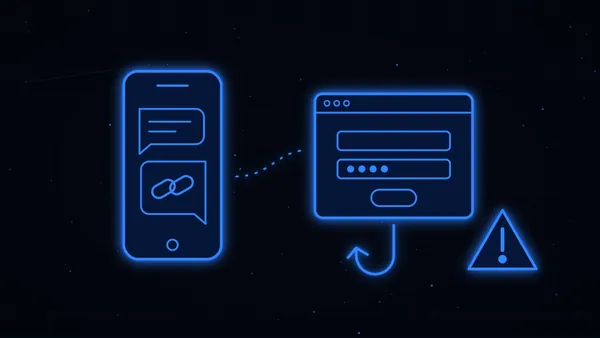
The link goes to a page that copies Microsoft 365, Google or your company webmail, and whatever is typed there goes straight to the criminals. What many people don't realise is that some of these fake pages act as a go-between: they pass the username, password and verification code to the real site in real time and keep the logged-in session for themselves. That's why changing the password isn't enough on its own, and why you'll need to revoke sessions, as you'll see below.
With that login they can read email, browse shared files, message colleagues and customers from a genuine address or set up a bigger fraud. It sounds bad, but if you react today, most of the time it ends as a scare.
Business email compromise vs phishing
People mix them up all the time, and it's worth separating them because it changes what you do. Phishing is the trick used to steal the login. Business email compromise (BEC) is what can come next: using that company mailbox, or one that imitates it, to ask for a transfer, a change of bank details or customer data. A stolen password from a phishing page is one of the most common ways into a business mailbox. Cut the phishing off in time and, usually, BEC never happens.
First: let the employee tell you without fear
Before touching anything, talk to the person who clicked, and don't tell them off. You need every detail, and you'll only get it if they don't feel they're about to be blamed. The NCSC, the UK's cyber security centre, tells organisations to avoid a blame culture around phishing, because what protects you most is people reporting straight away, even after they've clicked.
Ask exactly what they typed (just the password, the code as well, bank or card details), on which page, at what time and on which device, and whether they downloaded or opened a file. Ask them not to delete the email: you'll need it.
The first hours: what to do when an employee clicked a phishing link
Every hour matters here, but you don't need the full picture to start. If you have an IT person or a company that runs your email, call them now and work through this together:
- Change the password from a different device. One you know is clean, not the employee's. The NCSC advises changing it, and any other account that uses the same password, straight away, because criminals will try it everywhere. Don't send the new password by email, since that mailbox may be compromised.
- Sign out every session. Microsoft 365, Google Workspace and most services let you force a sign-out on all devices. Microsoft explains that revoking active sessions immediately invalidates access gained with stolen credentials. If you can, block the account for a while as you check it.
- Check two-step verification. If it wasn't on, turn it on now. If it was, look at which methods are registered on the account (phones, authenticator apps) and remove anything that isn't the employee's. Microsoft specifically warns to remove unrecognised MFA methods, because attackers sometimes add their own to get back in.
- Look for back doors. Forwarding rules or filters nobody created, automatic forwarding to an outside address, other people's permissions on the mailbox and connected apps nobody recognises. Take screenshots and note everything before you remove it, so you keep the evidence.
- See what they did inside. Sign-in logs show where and when someone got in. Check sent and deleted items too and, if the account can reach shared folders, what was opened or downloaded.
- If the employee downloaded or opened something, take that device off the network until someone who knows what they're doing has looked at it, and don't wipe it yet, because it's evidence too. The NCSC also recommends a full antivirus scan.
- If that login touches money, call the bank. If the employee can reach the company's online banking, typed bank details into the fake page or there are payments pending, call the bank on its official number, explain what happened and ask it to watch or block transactions. Tell accounts not to act on any change of bank details or urgent payment request that arrives by email over the next few days.
- Warn your staff. A short message so nobody clicks the same email, which often lands in several inboxes at once. And if odd emails went out from that account, warn the customers or suppliers who got them.
Kironic tip
Open a document and log each step with the time: when the employee clicked, when the password was changed, which rules you found, who you called. It takes ten minutes and you'll use it for the police report, the regulator, the bank and your insurer, if you have cyber cover.
Signs the account has actually been used
Sometimes the employee reports it late, or doesn't notice at all, and it's someone else who spots something odd. Microsoft lists several typical signs of a compromised mailbox, and these are the ones small businesses see most:
- Sign-ins from another country or from devices nobody recognises.
- Rules forwarding email outside or moving messages to folders nobody checks, such as "RSS Subscriptions" or "Deleted Items".
- Sent emails nobody wrote, or emails vanishing from the inbox.
- Customers or colleagues asking about a strange message from that account, often another phishing email.
- The account blocked from sending email or password changes nobody asked for.
If you've checked and found none of this, and you revoked sessions in time, you've most likely stopped it. Even so, keep an eye on the account for a few weeks, because criminals sometimes wait before trying again.
Keep the evidence before you clean up
It's natural to want to delete the fake email and get back to normal, but do it in order. Export the original email as .eml or .msg, which keeps the headers (the technical part that shows where it really came from), save the address of the fake page without opening it again, and screenshot the rules, the sign-ins and any sent emails.
Email providers only keep sign-in logs for a limited time, so if this looks like it could grow, it's worth having a digital forensics expert copy the account and the logs. They do it in a way nobody can later claim was tampered with, using a kind of digital fingerprint for each file called a hash. We explain what a forensic expert does in crypto scam lawyer and blockchain forensics. Preserved properly, that evidence helps show how they got in and protects your business.
Report it and tell the right people
Reporting the crime
Getting into someone else's account without permission is a crime even if no money has moved yet. In England, Wales and Northern Ireland you can report it to Report Fraud, the national police service for fraud and cyber crime (in Scotland, to Police Scotland), and in the US to the FBI's IC3. Have the exported email, the fake page address, the screenshots and your timeline ready. If money has gone, reporting matters even more, because it helps the bank push for a freeze. There's a step-by-step guide in how to report a scam.
The regulator, if personal data may have been seen
If the attackers could see personal data about customers, staff or suppliers (names, phone numbers, payslips, contracts), that's a personal data breach. Under UK GDPR a reportable breach must be notified to the ICO within 72 hours of becoming aware of it, and people must be told if the risk to them is high. In the EU the GDPR sets the same 72 hours with each country's data protection authority, and in the US it depends on each state's breach-notification law.
It's a serious duty, but a manageable one. The ICO's self-assessment for data breaches helps you work out whether you need to report, and if you decide you don't, write down what happened and what you did about it.
If a payment has already gone out
If money has left the business during these hours, or a customer has paid an account that isn't yours, call the bank as soon as possible. There's more room to act than it seems: if the money is still in the receiving account, that bank can hold it, and in many cases it's recovered, especially when you move in the first hours. In the UK, the NCSC's advice is to tell your bank immediately and report it to Report Fraud.
Imagine an accountancy firm with fifteen people. On a Tuesday, an employee types their password into a fake "shared document" notice. That afternoon someone gets into their mailbox, creates a rule that hides replies and sends a customer a "new bank details" email. If the IT person spots the rule the next morning, they revoke sessions, phone the customer before they pay and report it, it all ends as a scare. And if the customer had already paid, warning their bank that same morning gives a good chance of holding the money.
There's more on how a payment is recovered in can you get money back after a scam?.
How to stop phishing getting through again
Someone clicking a fake link one day is almost unavoidable, because the emails keep getting better. What you can control is that, when it happens, it gets them nowhere.
To prevent it, don't let the password be the only key. Turn on two-step verification for every account, including the boss's and shared ones like "info@" or "accounts@", and where you can, use an authenticator app or a security key rather than SMS, as they're harder to trick. And don't let people reuse passwords between email and other services: a password manager makes that easy.
Tell your staff, with real examples, that no "mailbox full" or "password expired" warning is ever fixed by clicking a link in an email. If they need to sign in somewhere, they type the address or use the usual app. And make it very clear that reporting never gets anyone in trouble: the employee who says "I think I've messed up" five minutes later saves your business a huge amount of work. The same trick increasingly arrives by text or by a call to a work phone, so it's worth reading how smishing and fake bank texts and vishing and spoofed calls work.
Behind the scenes, ask whoever runs your IT to turn on email filtering and alerts for suspicious sign-ins, review forwarding rules and permissions from time to time, and set up SPF, DKIM and DMARC on your domain so it's harder for others to send email pretending to be you. And for money, one simple habit: no urgent payment and no change of bank details is ever approved by email alone, always with a call to a number you already had.
When to get professional help
If you're not sure how long they were inside, if emails went out to customers from the account, if sensitive personal data was involved or if money has already moved, it's worth getting a professional view as soon as possible. A digital forensics expert can preserve the account and the logs and find out how they got in and what they took, and a lawyer can help with the police report, the regulator, the bank and any affected customers.
We are lawyers and expert investigators specialising in online scams, cryptocurrency and cybercrime, and every case is always handled by a lawyer or an expert investigator. Send us whatever you have, even if it's messy: the phishing email, the address of the fake page, the screenshots and your timeline. We'll review it for free and tell you what to do today and what comes next. In many cases the money is recovered, especially when you act quickly. At Kironic we do everything we can to recover your money.
One last warning: after an incident like this, "recovery firms" sometimes appear promising 100% back for an upfront fee. That's usually the second scam. Here's how to spot them: crypto recovery scams.